
Computer Monitors
Catalog Filters
571 items
Sort Most relevant
Need Help Choosing the Right Product?
Send us your model number, part number, or hardware requirements and our product specialists will help verify compatibility and available options.
-
IN STOCK DELL-P2426E


DELL
DELL Pro P P2426E computer monitor 24.1" 1920 x 1200 pixels WUXGA LCD Black
DELL Pro P P2426E, 24.1", 1920 x 1200 pixels,...
-
IN STOCK DELL-P2726H


DELL
DELL Pro P 27 P2726H computer monitor 27" 1920 x 1080 pixels Full HD LCD Black
DELL Pro P 27 P2726H, 27", 1920 x 1080...
-
IN STOCK DELL-P2426H

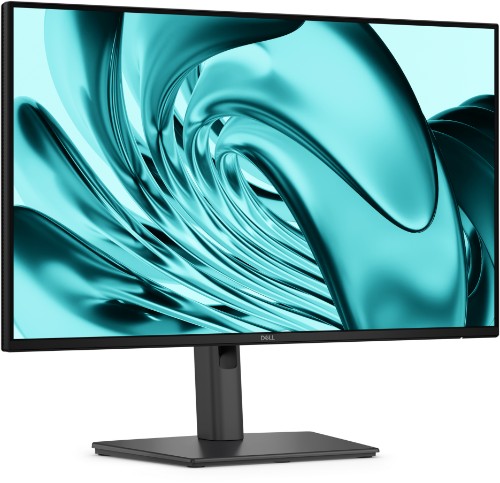
DELL
DELL Pro P P2426H computer monitor 24" 1920 x 1080 pixels Full HD LCD Black
DELL Pro P P2426H, 24", 1920 x 1080 pixels,...
-
IN STOCK DELL-P2426HE


DELL
DELL Pro P P2426HE computer monitor 23.8" 1920 x 1080 pixels Full HD LCD Gray
DELL Pro P P2426HE, 23.8", 1920 x 1080 pixels,...
-
IN STOCK DELL-P2426


DELL
DELL Pro P P2426 computer monitor 24.1" 1920 x 1200 pixels WUXGA LCD Gray
DELL Pro P P2426, 24.1", 1920 x 1200 pixels,...
-
IN STOCK PA278CGRV
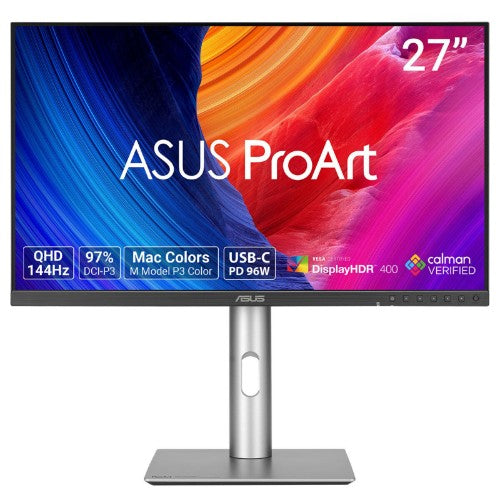

ASUS
ASUS ProArt PA278CGRV computer monitor 27" 2560 x 1440 pixels Wide Quad HD LCD Silver
27" QHD 2560 x 1440 IPS, 1500:1, 144Hz, 5ms(GTG),...
-
OUT OF STOCK B7GV8AA#ABA
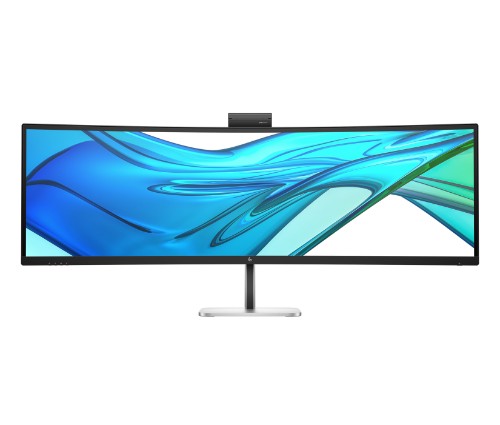
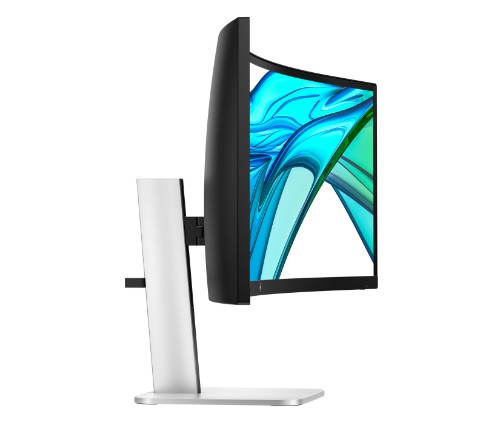
HP
HP Series 5 Pro 49 inch DQHD Conferencing Monitor - 549pm
HP Series 5 Pro 49 inch DQHD Conferencing Monitor...
-
IN STOCK DELL-E2026H


DELL
DELL Pro E2026H computer monitor 19.5" 1600 x 900 pixels HD+ LCD Black
DELL Pro E2026H, 19.5", 1600 x 900 pixels, HD+,...
-
IN STOCK UM.HV7AA.G07

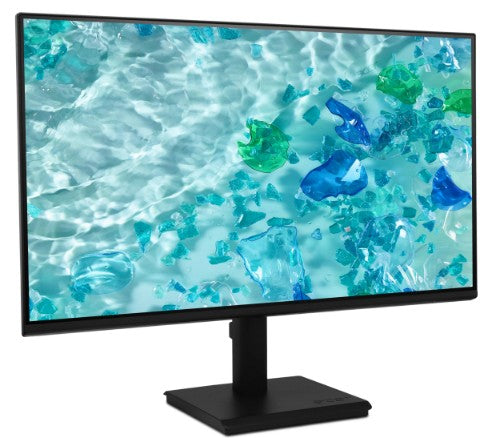
Acer
Acer V277 Gbi computer monitor 27" 1920 x 1080 pixels Full HD LCD Black
68.6cm (27") Full HD 1920 x 1080 IPS, 16:9,...
-
IN STOCK DELL-U5226KW


DELL
DELL UltraSharp U5226KW computer monitor 52" 6144 x 2560 pixels 6K Ultra HD LCD Silver
DELL UltraSharp U5226KW, 52", 6144 x 2560 pixels, 6K...
-
IN STOCK MAG272QPQDOLEDX24

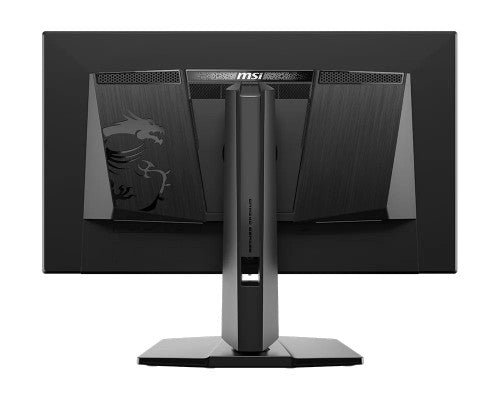
MSI
MSI MAG 272QP QD-OLED X24 computer monitor 26.5" 2560 x 1440 pixels Wide Quad HD Black
26.5", 2560 x 1440 OLED, 240Hz, 16:9, 200cd/m², 0.03ms,...
-
IN STOCK DELL-E2726HS


DELL
DELL Pro E2726HS computer monitor 27" 1920 x 1080 pixels Full HD LCD Black
DELL Pro E2726HS, 27", 1920 x 1080 pixels, Full...


Ordering 10+ Hardware Units or Planning a Larger Deployment?
Skip individual product searches. Submit your Bill of Materials (BOM), part numbers, or hardware requirements and our procurement team will review availability, volume pricing, compatible options, and delivery requirements.
✔
Dedicated Procurement Specialist
✔
Purchase Order Support
✔
Volume Pricing for Qualified Orders
Support & Policies
Frequently asked questions
Clear answers regarding procurement, billing, payment methods, warranties, and enterprise logistics.
Need immediate assistance?
Our sales engineering and accounts team is available Monday through Friday, 9:00 AM to 6:00 PM ET.
Call (315) 930-4535
to 27 inches suits most office desks. 32-inch and ultrawide monitors work well for design, editing and multitasking if you have the desk depth.
At 27 inches and above, 4K makes text noticeably sharper. On smaller screens, 1440p is often enough and costs less.
It takes video, data and power through one USB-C cable. Many can charge a laptop and act as a USB hub for your keyboard and mouse.
A monitor tested and adjusted at the factory to show color accurately. Models like ASUS ProArt suit photo, video and print work where colors must match.
Before placing a volume order, confirm the required specifications, compatibility with your existing environment, quantities, delivery schedule, warranty requirements, and any deployment or asset-tagging needs. For a multi-item purchase, prepare a model list or bill of materials (BOM) and request a quote.
Yes. Business buyers can prepare a list of the required models and quantities, including any required accessories or compatibility constraints, and submit it as a quote request. For larger or mixed-product orders, include a bill of materials (BOM) so the request can be reviewed as a complete requirement. Please confirm availability, pricing, and lead times with Buy IT Solutions before purchase.
Define a standard specification for each user role, including processor, memory, storage, operating system, ports, security and manageability requirements. Check software and peripheral compatibility, warranty coverage, and lifecycle needs before selecting a model. For rollout planning, provide quantities and any configuration or asset-tagging requirements with the quote request.
Popular Queries
LG 50UL3Q-E signage display Digital signage flat panel 50" LED Wi-Fi 350 cd/m² 4K Ultra HD Black WebOS 16/7
DELL Pro 65 Plus P6524QT Interactive flat panel 64.53" LCD 350 cd/m² 4K Ultra HD Black Touchscreen
Logitech Tap Scheduler 2 video conferencing system Ethernet LAN Video conferencing service management system
HP Poly Savi 7310-M Office Microsoft Teams Certified DECT 1920-1930 MHz Headset TAA
Juniper EX4100-24T network switch Unmanaged Power over Ethernet (PoE) 1U Gray
HP Poly CCX 600 Business Media Phone with Open SIP with Power Supply
NETGEAR GSM4352PB Managed L2/L3/L4 Gigabit Ethernet (10/100/1000) Power over Ethernet (PoE) 1U Black
HPE Aruba Networking CX 6200F 24G Class-4 PoE 4SFP+ 370W Managed L3 Gigabit Ethernet (10/100/1000) Power over Ethernet (PoE) 1U
Ubiquiti USW-Pro-Max-24-PoE L3 2.5G Ethernet (100/1000/2500) Power over Ethernet (PoE) Gray
HP Poly Trio C60 IP Conference Phone Full Radio and PoE-enabled GSA/TAA
HP Poly Trio C60 IP Conference Phone for Microsoft Teams and PoE-enabled No Radio GSA/TAA
AddOn Networks QSFP28-100GB-SR4-E-AR-AO network transceiver module Fiber optic 100000 Mbit/s 850 nm
Axiom Q28-100G-BIDI-DLN-AX network transceiver module Fiber optic 100000 Mbit/s QSFP28
HP Poly CCX 400 Business Media Phone for Microsoft Teams and PoE-enabled
HP Poly TC10 White Touch Controller
View all →


